Contact & tenant CV
Download and attach your tenant CV
BoligButler does not send the CV for you. You download it and attach it in your own email.
How to do it
- 1
Fill in and save your tenant CV
Complete the profile first so the download is up to date.
- 2
Open the contact window
Start contacting a landlord from a listing.
- 3
Tap Download tenant CV
Save the PNG on your phone or computer.
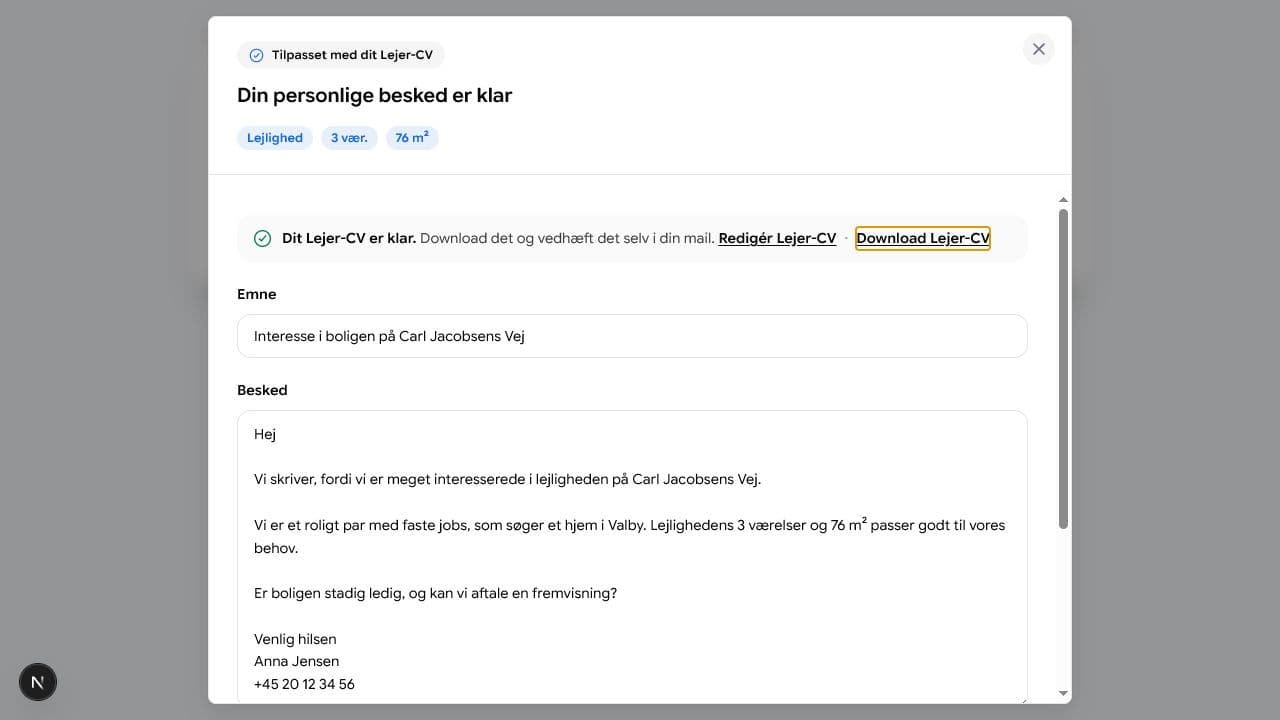
Download-knappen findes i beskededitoren. - 4
Attach the file yourself
When the landlord email opens, attach the file before you send.