Contact & tenant CV
Create and edit your tenant CV
Your tenant CV is private by default. You fill it in under your account and can edit it at any time.
How to do it
- 1
Open Account and Tenant CV
Log in and choose Tenant CV in the account menu.
- 2
Fill in your details
Add household, occupation and a short description.
- 3
Add housing wishes
State area, budget, rooms and when you can move in.
- 4
Check the preview
See how the profile looks before a verified landlord can view it.
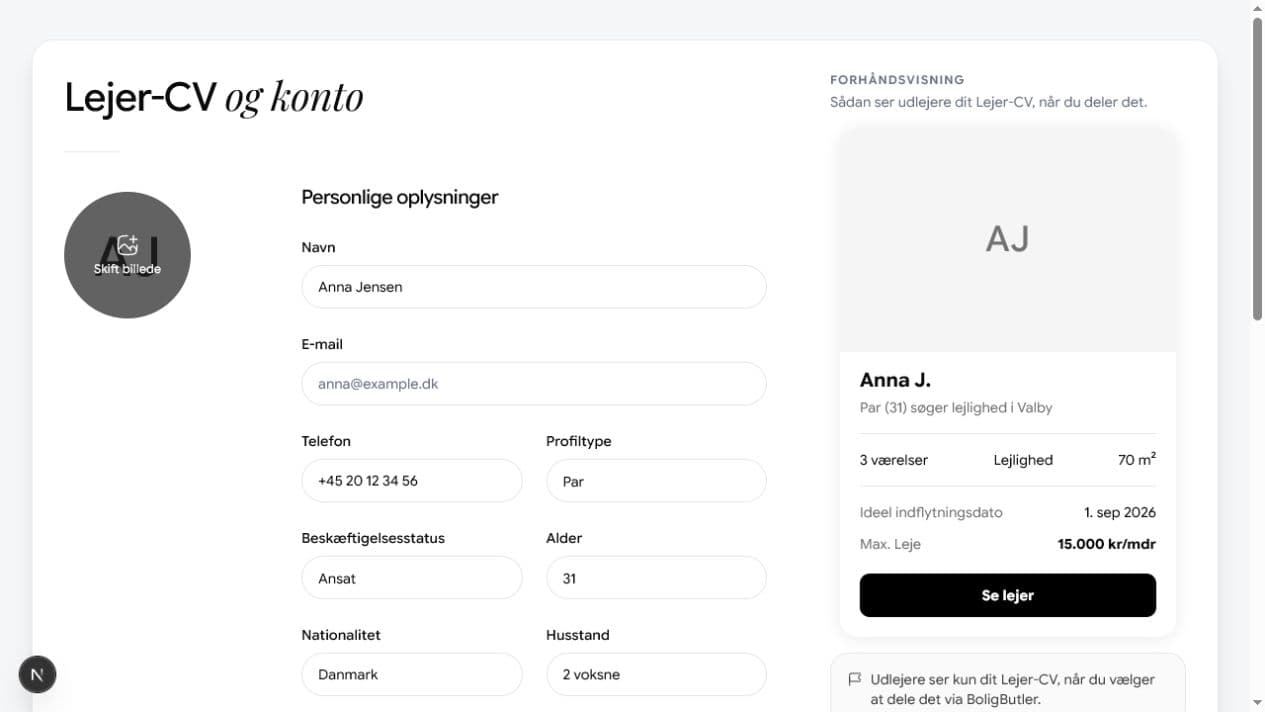
Forhåndsvisningen opdateres, mens du arbejder med dit Lejer-CV. - 5
Save the changes
The profile is updated immediately and can be used when you contact a landlord.