Account & subscription
How trial and payment work
The current offer is shown clearly before you pay on Stripe. Card details are processed by Stripe.
How to do it
- 1
Open a Premium feature
Contact details and tenant CV download require an active subscription.
- 2
Read price and renewal
The trial price, renewal price and billing interval are shown before you continue.
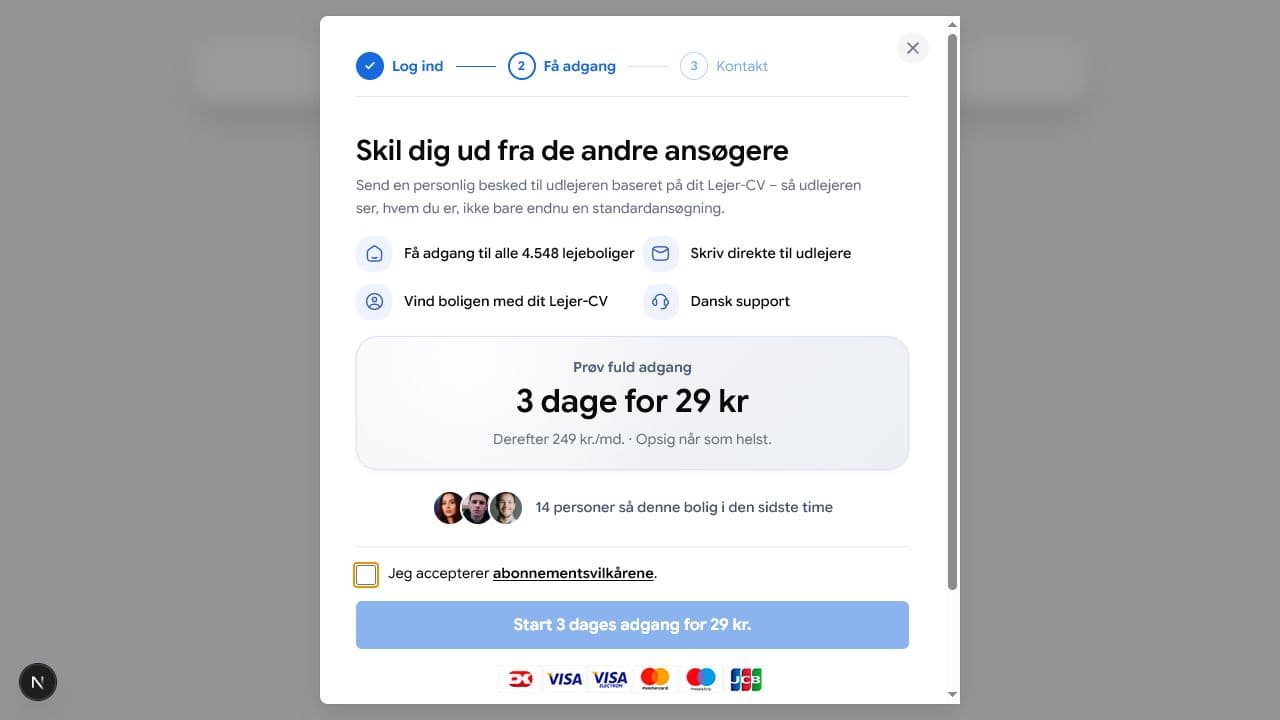
Pris og fornyelsesdato står i betalingsvinduet, før checkout åbnes. - 3
Accept the subscription terms
Payment is completed on Stripe. BoligButler does not store card details.
- 4
Check your status
Open Account → Subscription to see status, invoices and cancellation.
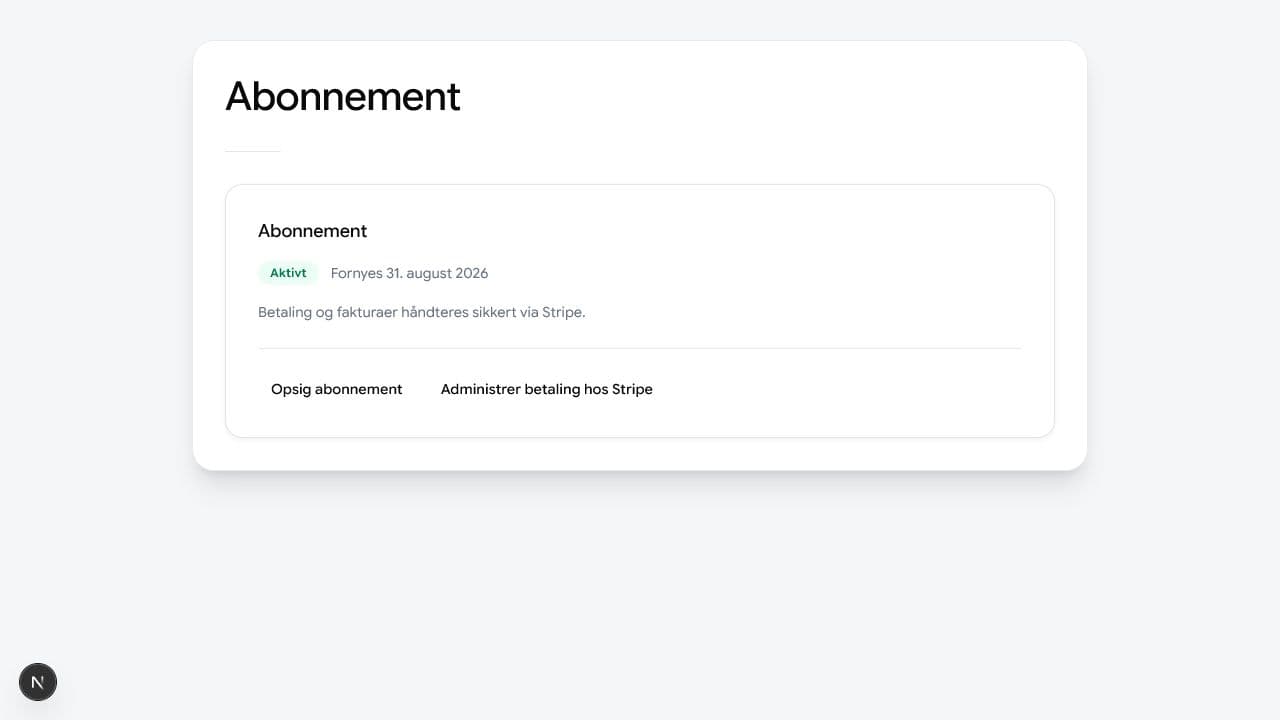
Abonnementssiden viser din aktuelle status og næste dato.