Account & subscription
Delete your account and your data
If you have an active paid subscription, handle that first. Then you can delete the account from Privacy and GDPR.
How to do it
- 1
Handle an active subscription
Cancel any subscription first so payment does not continue without the account.
- 2
Open Account and Settings
Find the Privacy and GDPR section at the bottom of the page.
- 3
Type SLET or DELETE
Enter the confirmation word and check the shown email address.
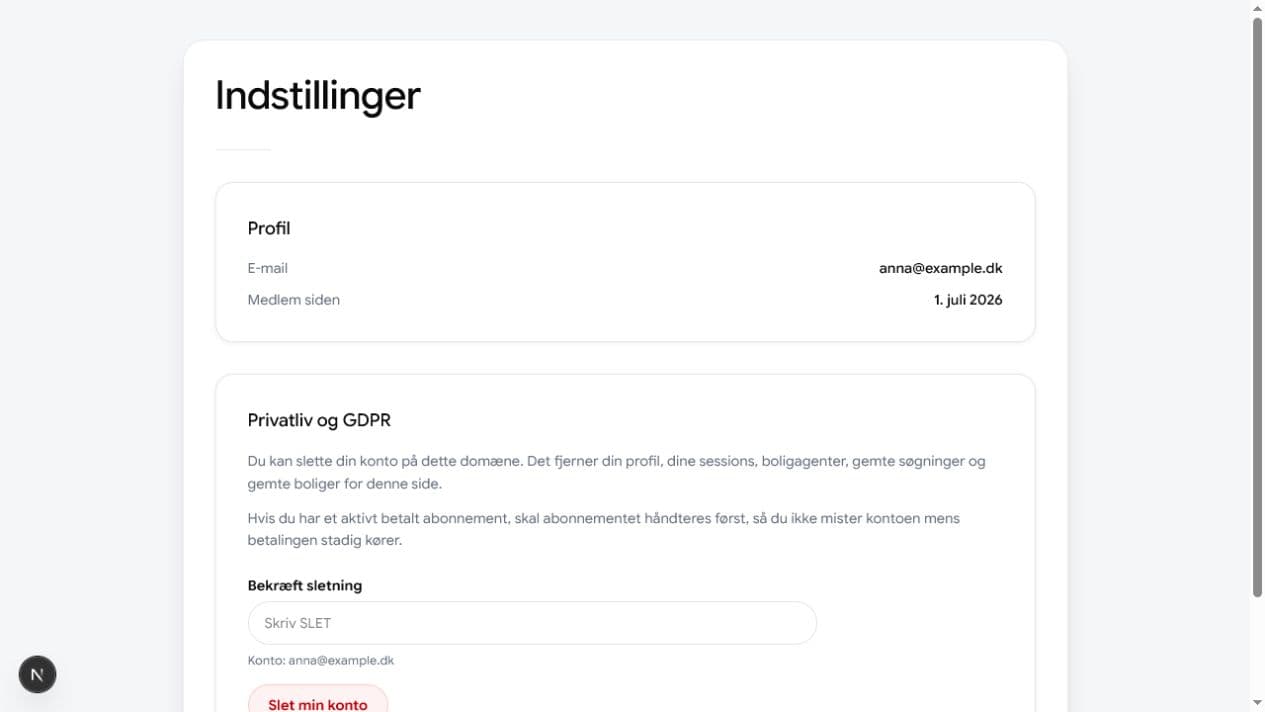
Deletion requires that you type SLET or DELETE in the confirmation field. - 4
Tap Delete my account
This removes profile, sessions, search agents, saved searches and saved homes for this site.